Dataset
Documentation for Dataset
Dataset
What is a Dataset
A dataset is a read-only resource that points to a location in shared storage, making it easy to mount and share. Crater can download datasets directly from ModelScope or HuggingFace, or register a directory that has already been uploaded to the file system.
Difference between Dataset/Model and Shared Files
Datasets/models mainly provide read-only files. In the future, we will provide an option to move datasets/models to read-only shared folders and use corresponding technologies to accelerate the datasets/models, thereby improving training efficiency. Shared files mainly allow you to share personal files with others and allow others to read and write. If you need to read and write files in the public space, please contact the administrator.
Where to View Datasets
Under Data Management - Dataset, you can view datasets. The datasets displayed here include those created by the user, those shared with the individual, and those shared with the account.
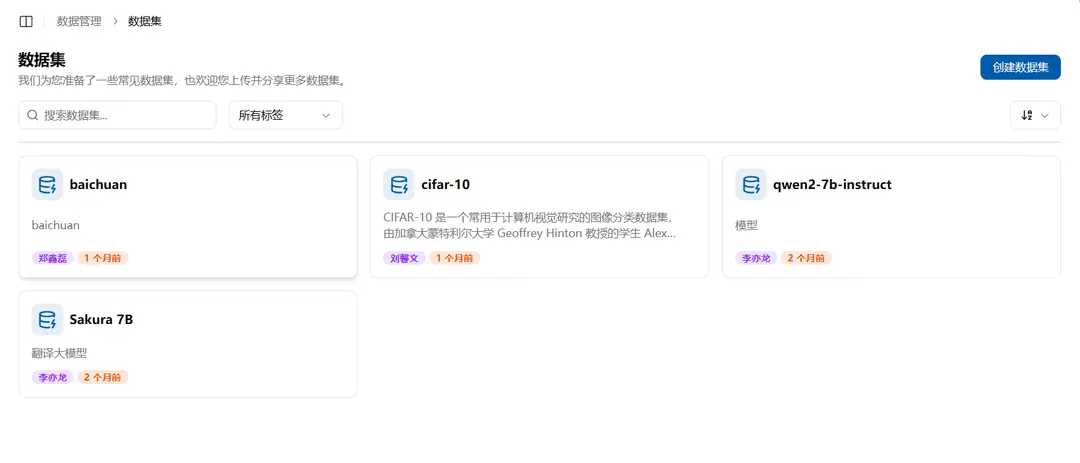
Each dataset shows its metadata and available actions. Open the dataset's Files tab to browse files and copy the logical shared-storage path that jobs can mount; cluster-specific physical directory prefixes are not shown. Historical downloads may still use a longer path containing the source and revision. Crater does not move those directories automatically because existing jobs may depend on them.
Download a Dataset from a Repository
Select Download dataset, then enter the source, repository ID, revision, and an optional access token. New downloads use the canonical path:
public/Datasets/<owner>/<repository>Crater keeps one public resource for each repository ID. It reuses any existing Ready, pending, downloading, or paused record and its actual path, and associates each requesting user once. The reference count is the number of associated users. If no valid record exists, retry the failed record or submit the same repository from another source where it exists.
The download Job detects upstream errors such as a missing repository, an invalid revision, or insufficient access and then moves the task to Failed. A new task or failed-task retry clears incomplete files from the canonical public directory before downloading, preventing content from different sources from being mixed. Resuming a paused task preserves its existing progress. Only a Ready record represents a complete, usable dataset. Deleting a download task removes the task record but does not remove stored files.
How to Create a Dataset
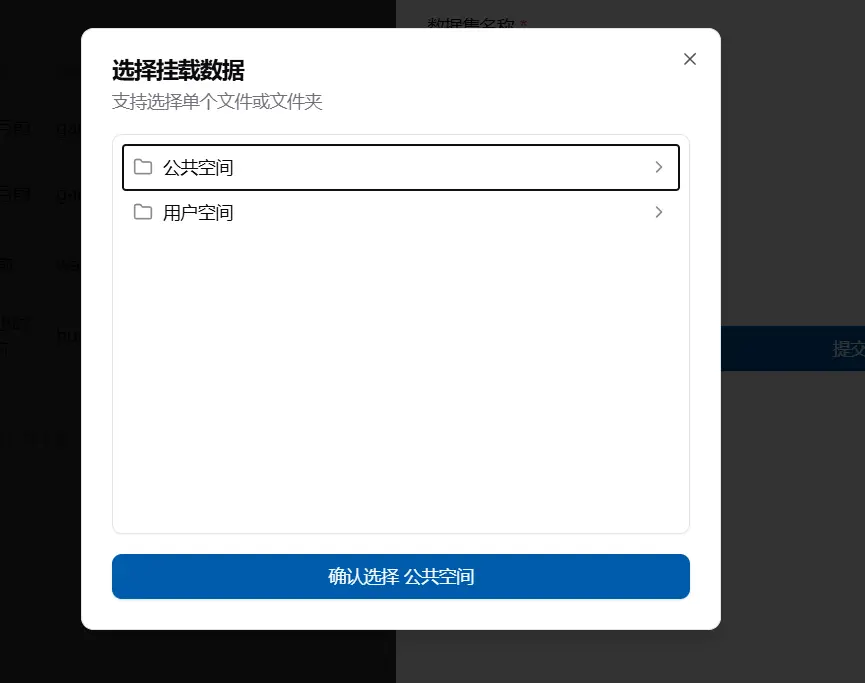
There is a "Create Dataset" button in the top-left corner of the dataset page. Click it and then fill in the name, description, and select the folder location to create the dataset.
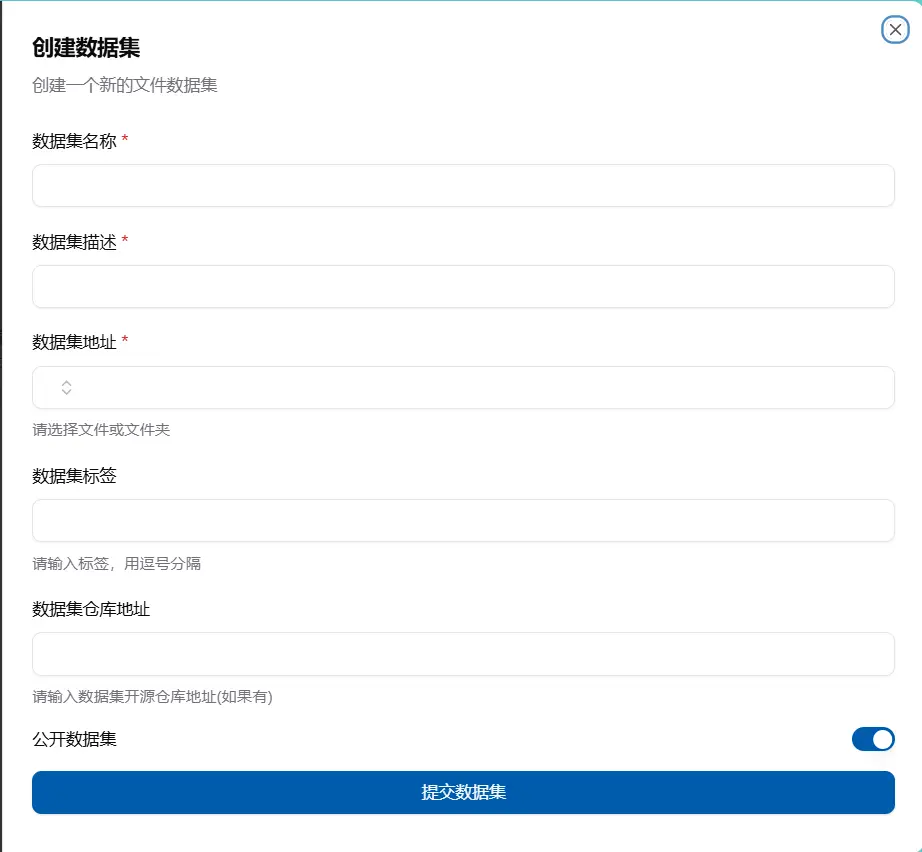
The name of the created dataset cannot be the same. When selecting a folder, the system will automatically show the public, personal, and current account space files that you can see, and you can then select one.
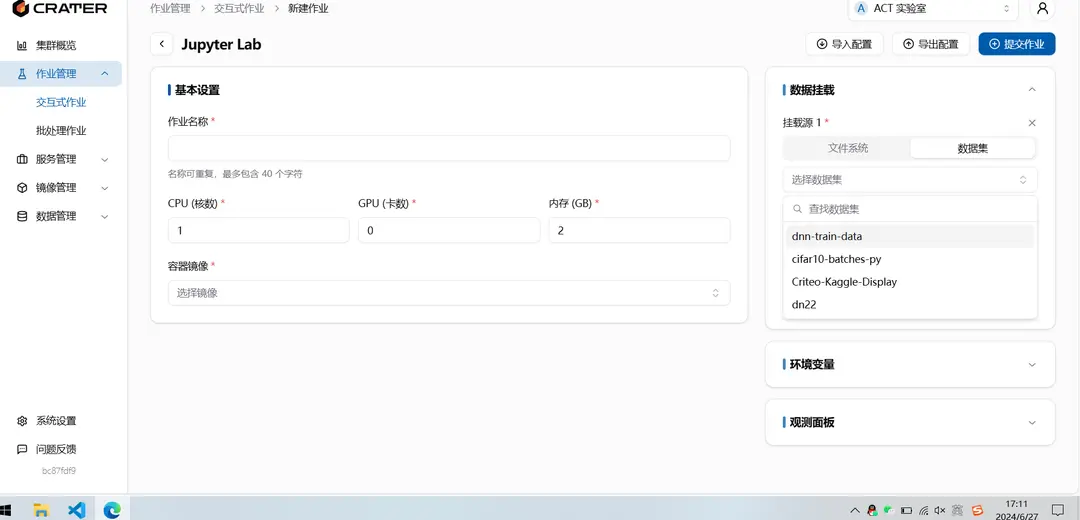
How to Use a Dataset
On the new job page, there is a data mounting box on the right. After adding a data mount, you can select a dataset and mount it into the container.